A practical blend of development, data, security and business knowledge
Featured Case Study
Smart Workforce Management System
A cloud-ready workforce management platform designed to improve staff training visibility,
rota awareness, compliance tracking and role-based access within a large retail-style environment.
A Smart Workforce Management System (SWMS) was developed as a final-year project informed by previous experience of working with dealing with both Excel and Excel VBA applications that were store based. These applications featured no centralisation or backups, used a complicated user interface and featured a lack of data security.
Objectives
Key objectives were derived from both personal experiences and research
conducted through former colleagues and were identified as:
Improve visibility of staff training records.
Track completed, due and overdue training.
Support rota and staff availability awareness.
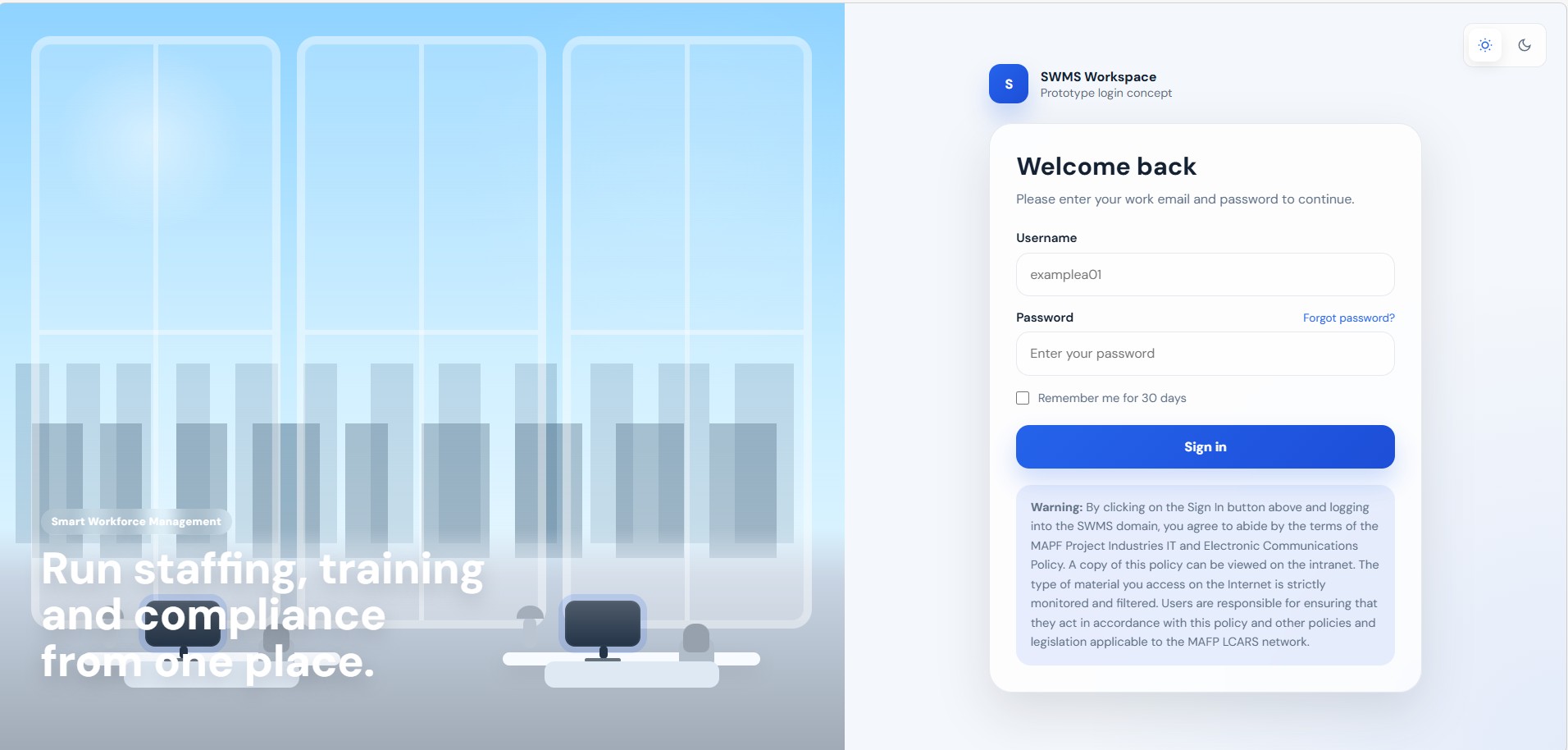
Apply secure login and role-based access.
Create a responsive system suitable for desktop and mobile use.
The Solution
The solution was to design, develop and build a working prototype that
demonstrated how a cloud-based workforce system could reduce reliance
on spreadsheets, improve compliance visibility and support better
operational decision-making.
The system was designed around a central MySQL database, with Node.js and Express providing the backend API and HTML, CSS, JavaScript and Bootstrap providing the user interface. Authentication and role-based access controls were introduced to ensure users could access only the information and functionality appropriate to their role.
The Result
A working application was produced with secure login, a training matrix,
compliance tracking, employee records, administrative access and
database-driven updates. The system demonstrated how training and
workforce information could be viewed and updated more efficiently
through a central digital platform.
My Role
I was responsible for the analysis, system design, database design, development, testing and evaluation of the SWMS project. I designed and implemented the application architecture, user interface, database structure, authentication and role-based access controls, and evaluated the system through user feedback and testing.
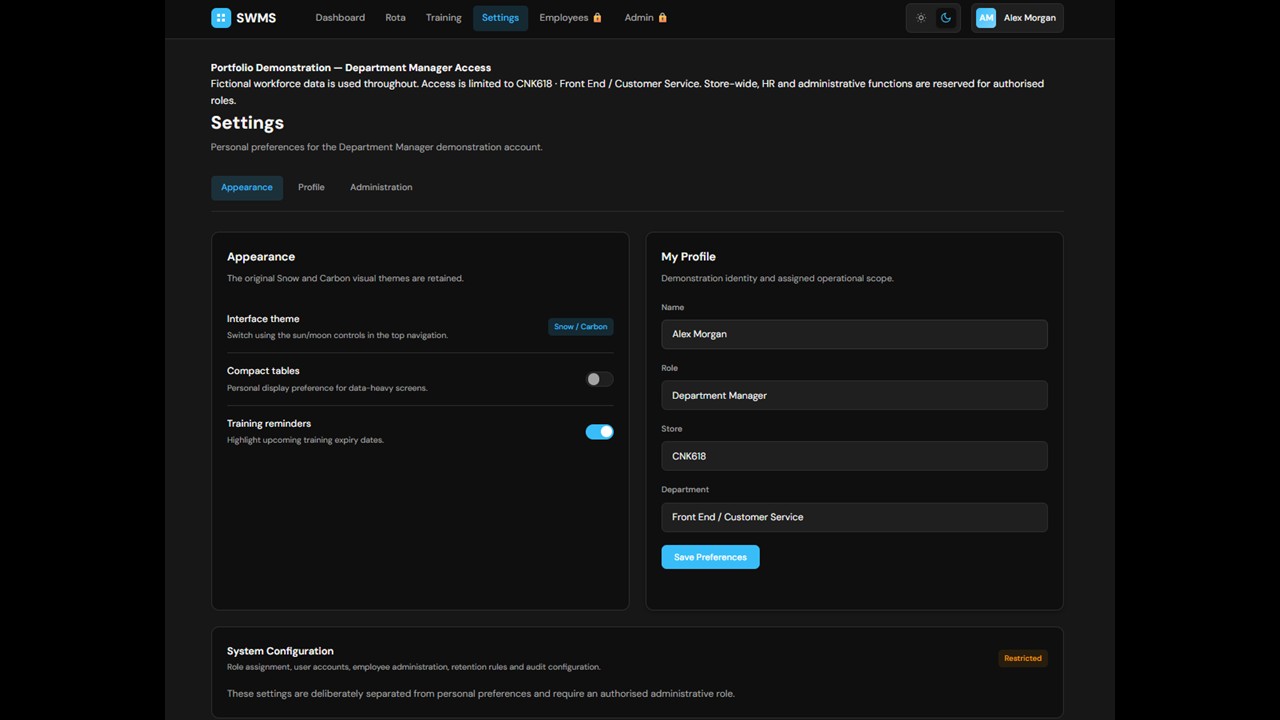
View the HTML demonstration page developed as part of the project. This demonstration focuses on the main user dashboard and settings page. Users can personalise selected aspects of their experience while viewing their own information and requesting changes that require authorisation from an appropriate business representative.
Screenshot Gallery
Click any image to enlarge
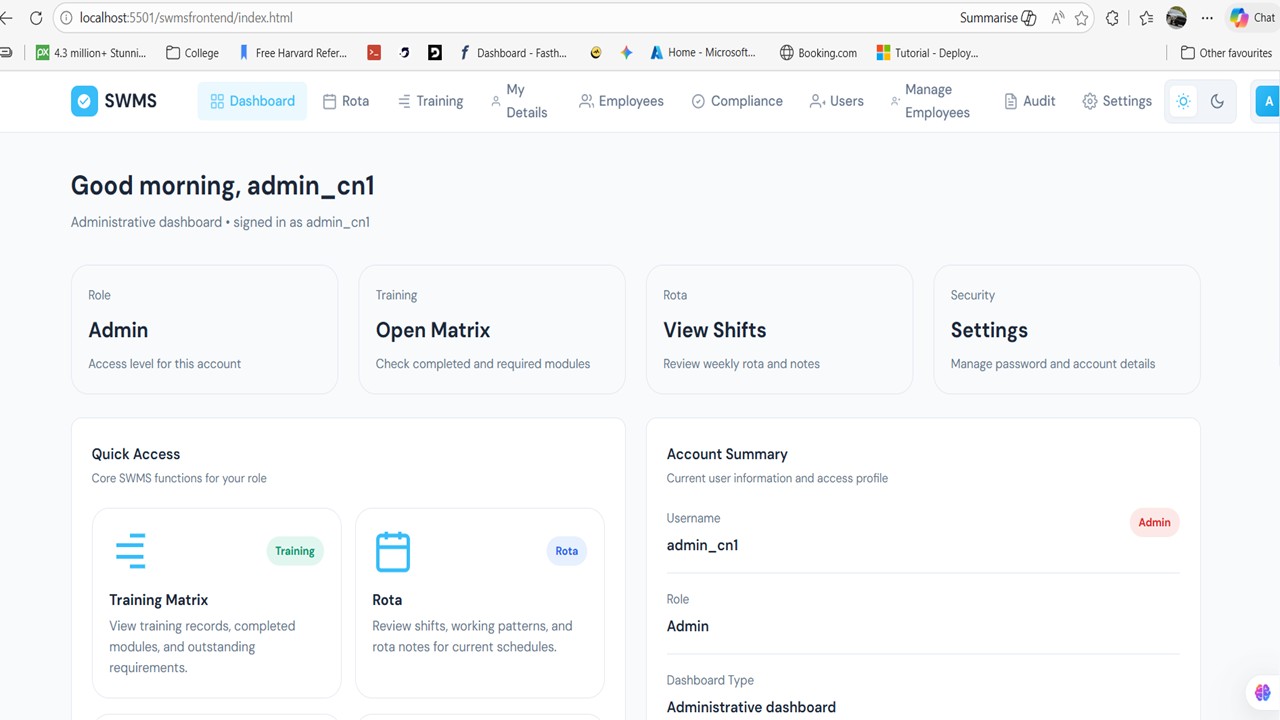
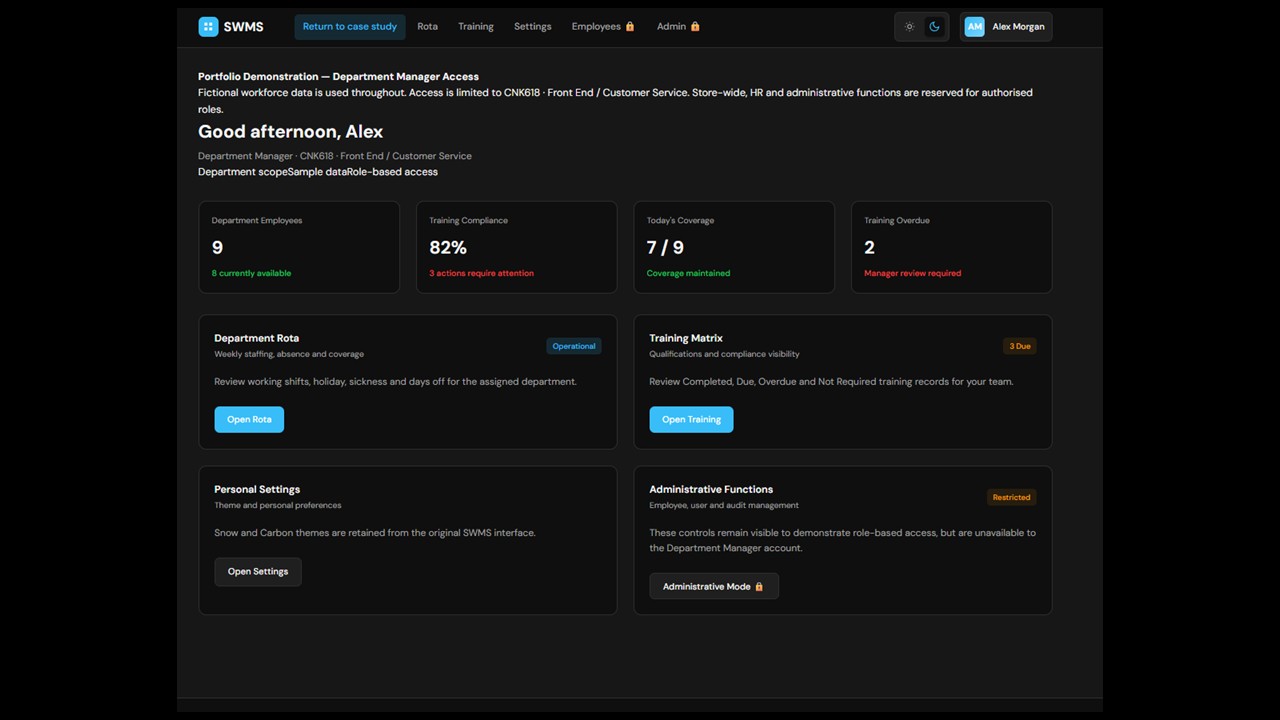
Dashboard
Dashboard with day/night mode active
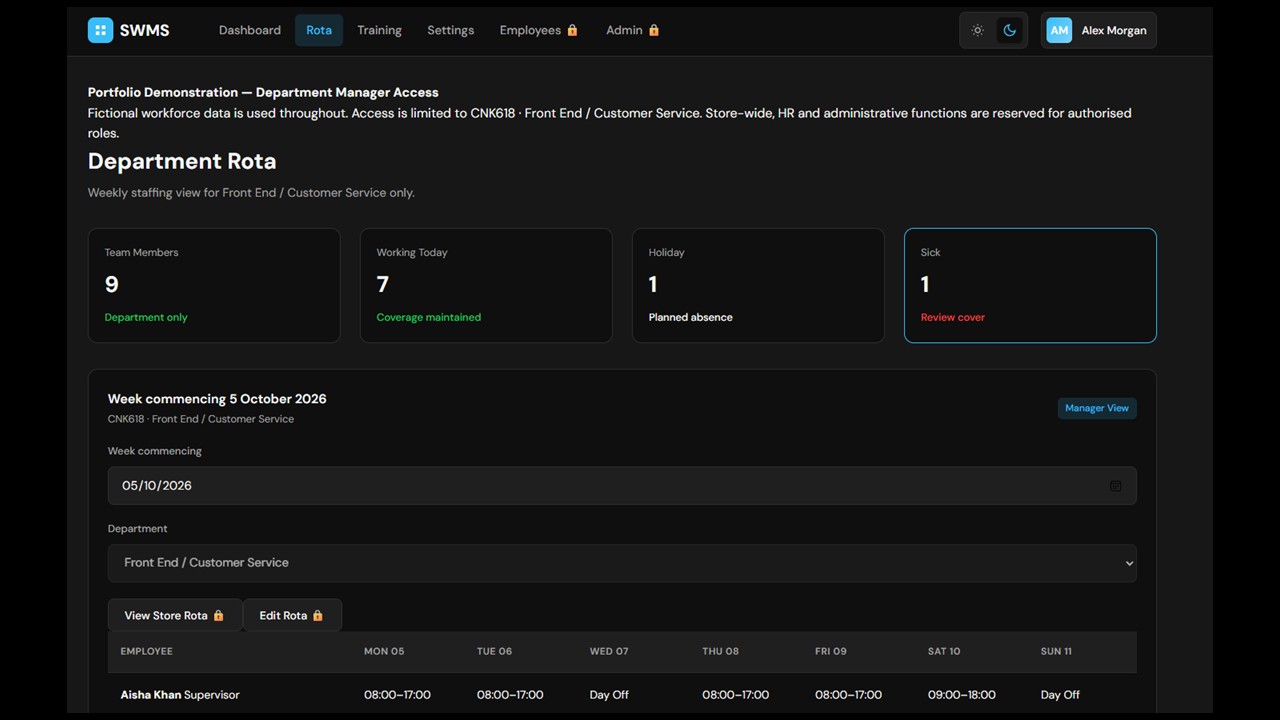
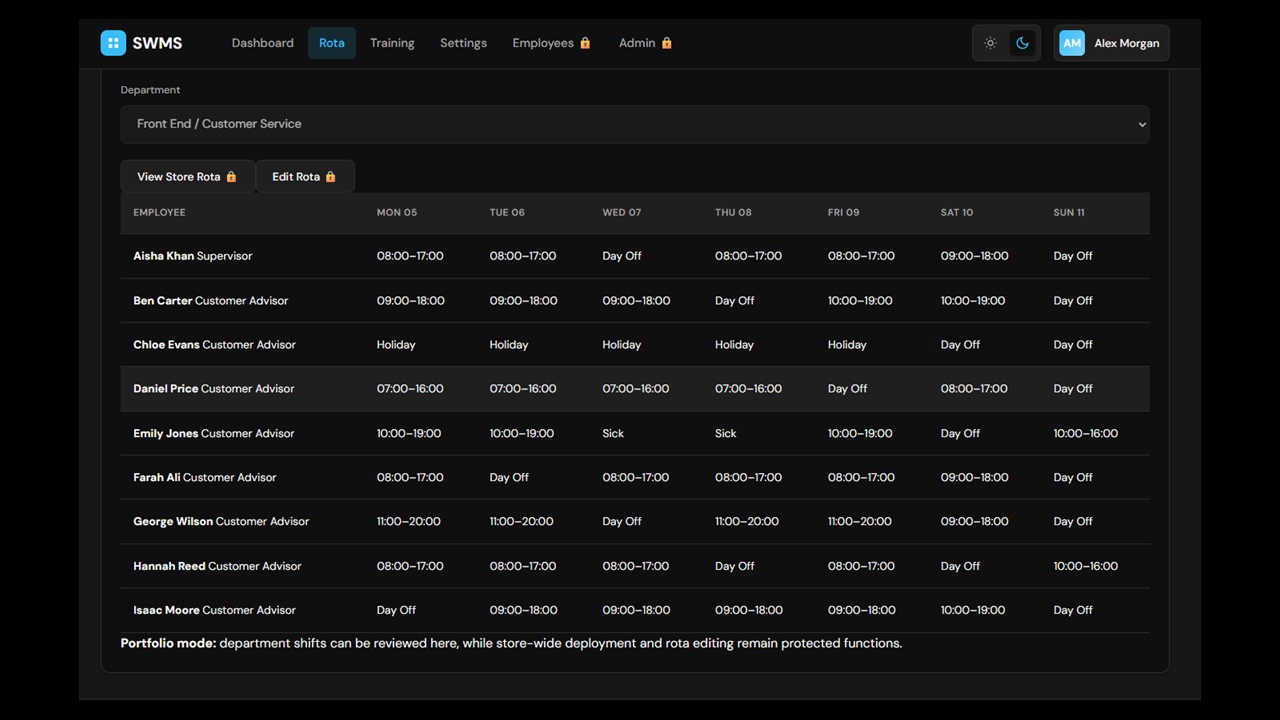
Rota Tracking
Rota Tracking
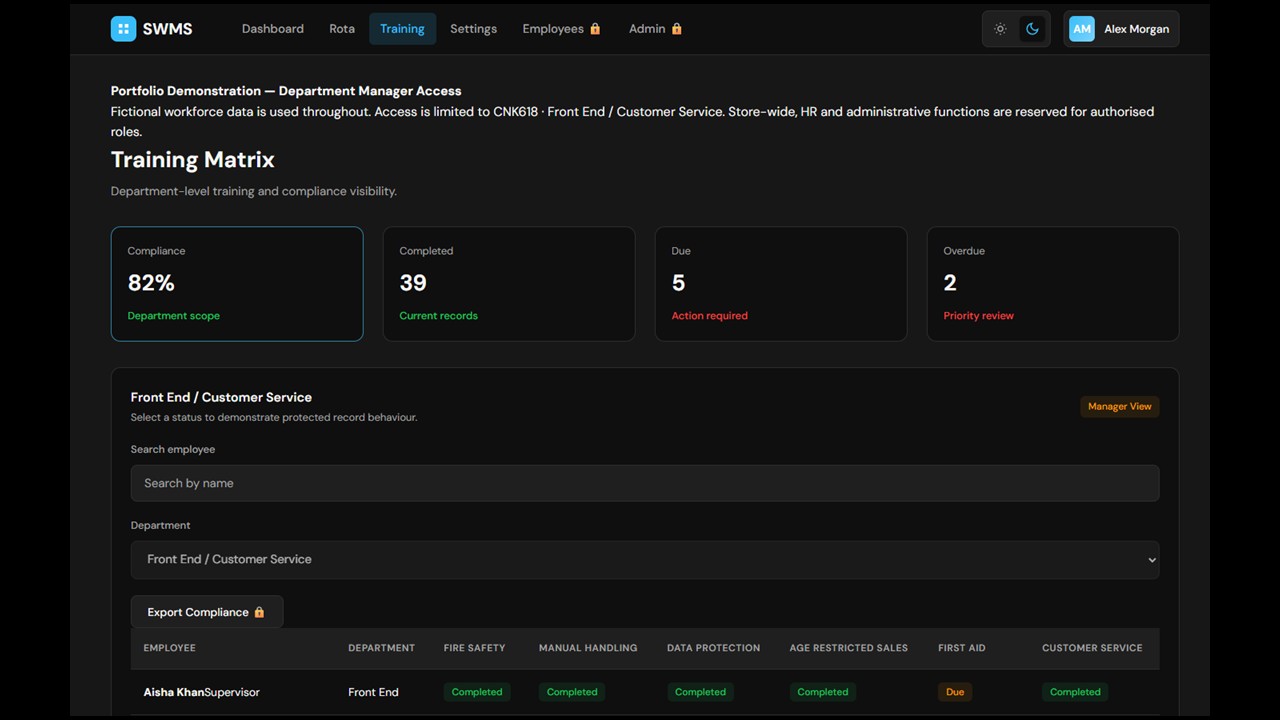
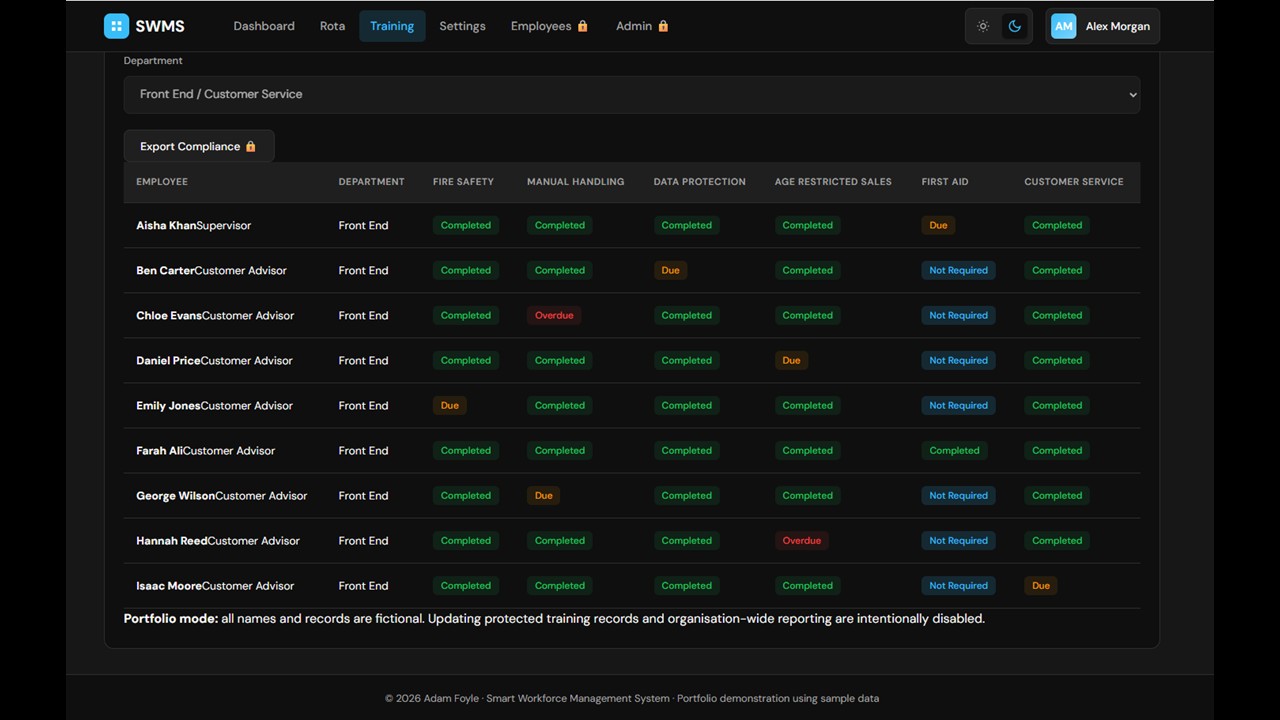
Training & Compliance
Training & Compliance
User Details
What I Built
The system was built as a full-stack web application using Node.js and Express for the backend, MySQL for database management, and HTML, CSS, JavaScript and Bootstrap for the user interface. The application incorporated authentication, role-based access control, workforce training and compliance tracking, employee management and database-driven updates. The system was also designed with cloud deployment in mind using Microsoft Azure.
Key Skills Demonstrated
Full-Stack Web Development
Database Design & Management
User Authentication & Access Control
Workforce Management Systems
Business Requirements Analysis
Responsive Interface Design
Cloud-Ready Application Development
Reflection
During the development of this system I gained practical experience in designing a workforce management platform that balanced usability, security and business requirements.
My previous experience with workforce management systems gave me a good understanding of their complexity and the frustrations they can create for users. This helped me define the initial requirements for SWMS, with the aim of creating a system that was easier to use, cloud-based, and able to restrict access to authorised personnel while still allowing employees to view information relevant to themselves. I also recognised the importance of validating my own assumptions through research and user feedback, helping to ensure that the final system was shaped around the needs of its users.
The project additionally strengthened my understanding of database relationships, authentication systems, responsive design and the importance of user-centred development.
Future Improvements
While it is not possible to fully predict the future requirements of the system, I identified several potential improvements from both a design and user perspective.